
Communication
Six Thinking Hats Template
By RP Hobbyist · Updated
Six Thinking Hats is a thinking method created by Edward de Bono in his 1985 book of the same name. Instead of everyone arguing from different positions at once, a group looks at a topic from one perspective at a time. Each perspective is represented by a colored hat: facts, feelings, caution, benefits, new ideas, and managing the process.
This template puts your topic in the center with a branch for each hat. Work through the hats one by one, as a team or on your own, and capture what comes up under each. The result is a balanced view of the decision or problem, with both risks and opportunities recorded.
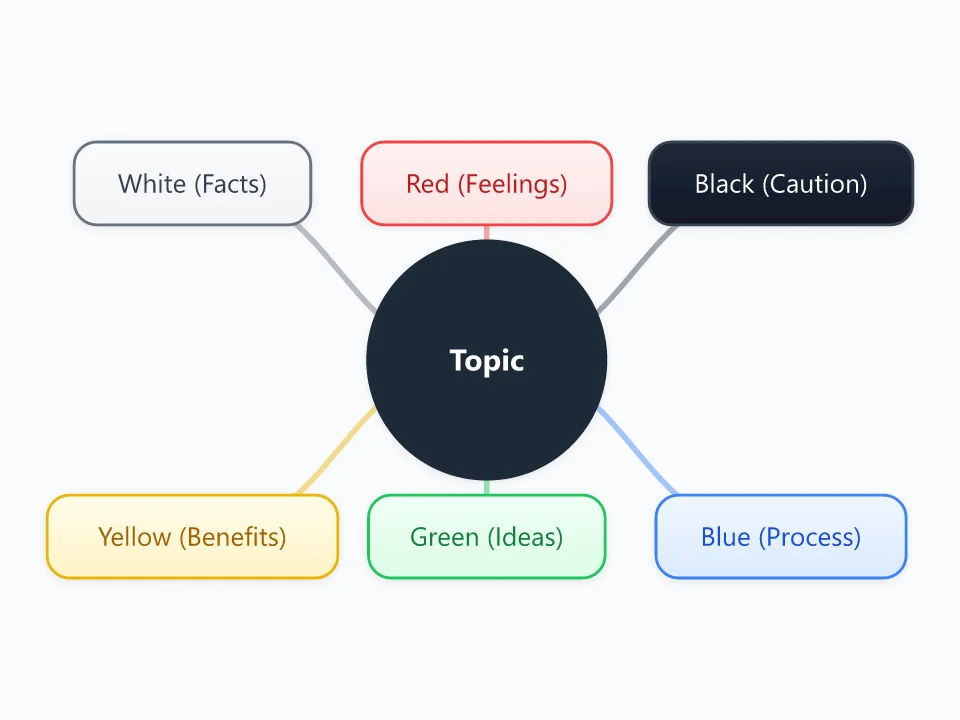
It opens as a new map with 7 topics already filled in. You don't need an account.
Open in the editorWhen to use a Six Thinking Hats
- Team decisions where discussions keep going in circles
- Evaluating a new idea, product or policy from all sides
- Structured brainstorming workshops
- Personal decisions where emotions and facts pull in different directions
What goes in each branch
- White (Facts)
- Information you have and information you need. Stay neutral: data, figures, known facts and gaps.
- Red (Feelings)
- Gut reactions, intuition and emotions, stated without needing to justify them.
- Black (Caution)
- Risks, weaknesses and reasons something might not work. Critical, but constructive.
- Yellow (Benefits)
- Value, benefits and reasons for optimism.
- Green (Ideas)
- Creative alternatives, new possibilities, and ways to overcome the problems raised under the Black hat.
- Blue (Process)
- Managing the thinking itself: the goal of the session, the order of the hats, and a summary of decisions and next steps.
Example: Should our team move to a four-day work week?
- White: current output figures; results of other companies' trials
- Red: excitement about more free time; worry about customer coverage
- Black: longer days could cause fatigue; support gaps on Fridays
- Yellow: better retention and easier hiring
- Green: rotate the day off; run a three-month trial
- Blue: decide at the end of the month after reviewing the trial data
Tips
- Use one hat at a time with the whole group, rather than assigning people to hats.
- Start and end with the Blue hat to set the goal and summarize the outcome.
- Keep Red hat input short; feelings don't need to be justified.
- Don't skip the Black hat. Recording risks early prevents surprises later.
Using this template in Neuron Mapping
- Click Open in the editor. The template opens as a new map.
- Select a topic and press Tab to add a branch under it, or double-click a topic to change its text.
- Select a topic to change its color and shape, or add notes to it in Markdown.
- When you're done, export the map as a PDF or PNG, or save it to keep editing later.
Everything runs locally in your browser: your map is saved on your device, works offline, and can be exported as PDF, PNG or an editable .nmm file.