
Planning & Strategy
Cycle Diagram Template (Plan, Do, Check, Act)
By RP Hobbyist · Updated
A cycle diagram shows a process that loops back to the start instead of ending. The best known is PDCA (Plan, Do, Check, Act), also called the Deming cycle, which teams use to improve a process in small, tested steps instead of one big change.
This template has five steps around a central CYCLE node: 1. Plan, 2. Do, 3. Check, 4. Act and 5. Review. Review isn't part of classic PDCA. It's a pause to look back before the next loop starts. You can rename the steps for any repeating process, like a content calendar, a sales cycle or a study routine.
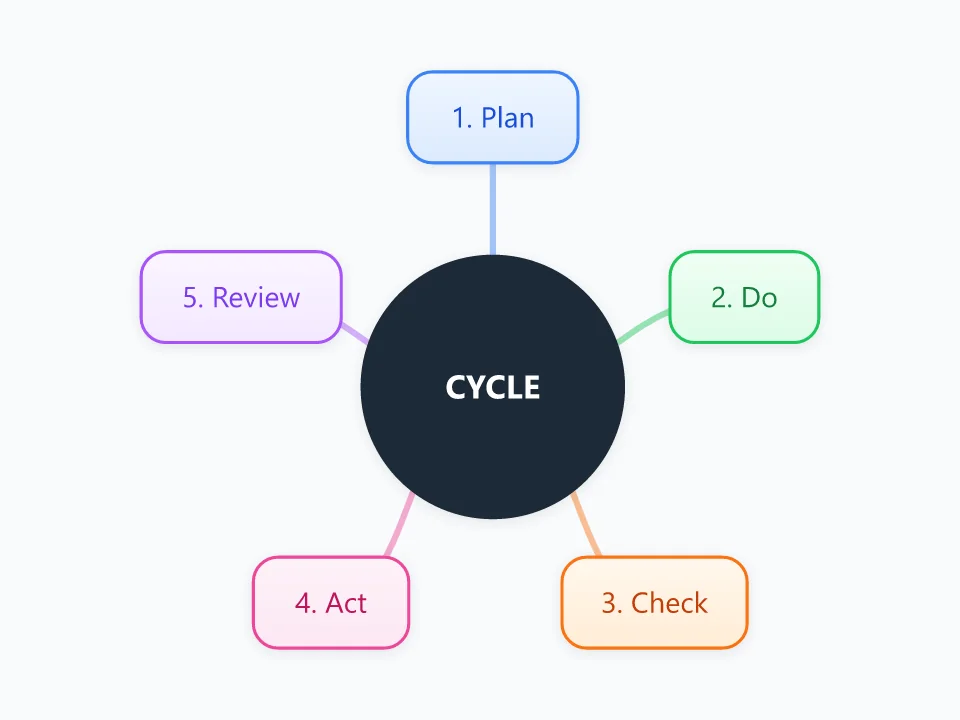
It opens as a new map with 6 topics already filled in. You don't need an account.
Open in the editorWhen to use a Cycle Diagram
- Improving a process step by step, such as cutting a support backlog
- Running a pilot before rolling a change out more widely
- Showing a process that repeats, like a monthly reporting cycle
- Teaching continuous improvement or quality management
What goes in each branch
- 1. Plan
- Name the problem and the change you'll try, and decide what you'll measure to know whether it worked.
- 2. Do
- Try the change on a small scale, and note anything that didn't go to plan.
- 3. Check
- Compare the results with what you expected. Did the number move, and was it your change that moved it?
- 4. Act
- If it worked, make it the standard way of working. If it didn't, keep what you learned and go back to Plan with a new idea.
- 5. Review
- Look at the cycle itself. Was it the right problem, and is another loop worth running?
Example: A clinic reducing missed appointments
- Plan: send a text reminder two days before each appointment, and track the no-show rate for a month.
- Do: try it with one doctor's patients only.
- Check: no-shows for that doctor fell from 12% to 7%, while the rest of the clinic stayed at 11%.
- Act: turn on reminders for every doctor.
- Review: in the next loop, test whether a second reminder on the day helps.
Tips
- Keep each loop small. A change you can test in two weeks teaches you more than one that takes six months.
- Write the result you expect in Plan before you start, or Check turns into guesswork.
- Add child nodes under each step for tasks and owners, and clear them out when a new loop starts.
- Save a snapshot at the end of every loop so you keep a record of what you tried.
Using this template in Neuron Mapping
- Click Open in the editor. The template opens as a new map.
- Select a topic and press Tab to add a branch under it, or double-click a topic to change its text.
- Select a topic to change its color and shape, or add notes to it in Markdown.
- When you're done, export the map as a PDF or PNG, or save it to keep editing later.
Everything runs locally in your browser: your map is saved on your device, works offline, and can be exported as PDF, PNG or an editable .nmm file.