
Communication
Empathy Map Template
By RP Hobbyist · Updated
An empathy map is a design-thinking tool for building a shared understanding of a user. It sorts what you have learned about a person into four quadrants, what they Say, Think, Do and Feel, so a team can see past surface requests to the needs and motivations underneath. It was popularized by Dave Gray and is widely used in UX research and product design.
This template puts the user at the center with the four quadrants as branches. Fill it from interviews, observation and support conversations, then look for contradictions between what people say and what they do. That is often where the best insights are.
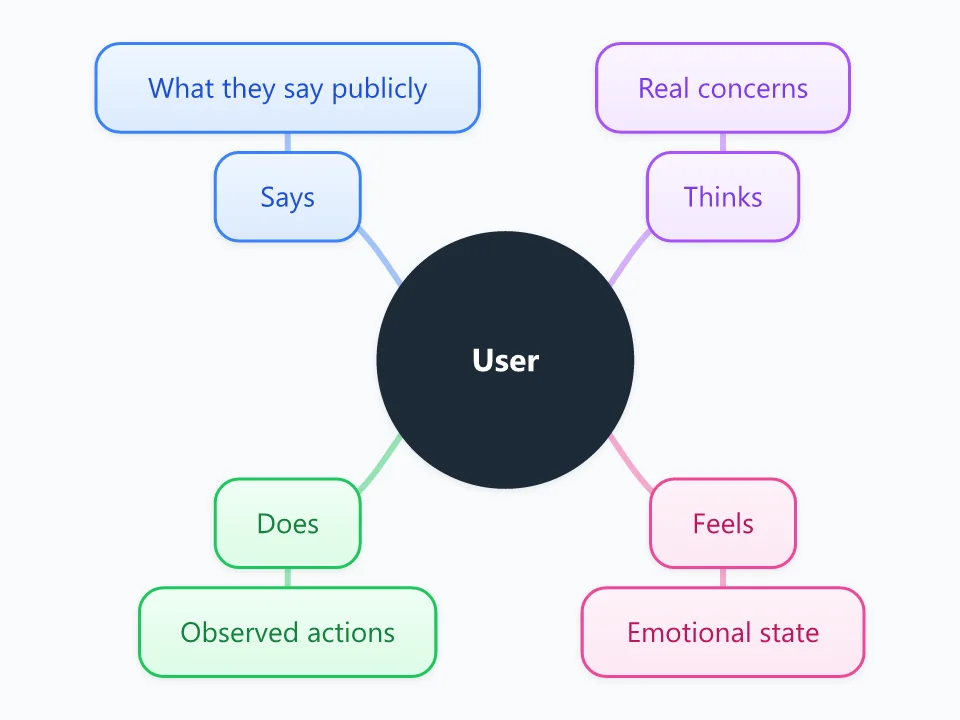
It opens as a new map with 9 topics already filled in. You don't need an account.
Open in the editorWhen to use a Empathy Map
- Synthesizing user interviews or usability tests
- Kicking off a design sprint or product discovery
- Building or validating a persona
- Helping a team agree on who it is designing for
What goes in each branch
- Says
- Direct quotes from interviews and feedback: what the user says out loud about the problem.
- Thinks
- What occupies their mind but may go unsaid: worries, beliefs, priorities.
- Does
- Observed behavior: actions, workarounds, habits and the tools they use.
- Feels
- Emotions: frustrations, anxieties, what excites them, how they feel about their current solution.
Example: A student preparing for exams
- Says: "I just need one place for all my notes."
- Thinks: worries about studying the wrong topics
- Does: copies notes between three apps; makes lists late at night
- Feels: overwhelmed before exams, relieved once topics are organized
Tips
- Use real quotes and observations. An empathy map built on assumptions only confirms what you already believe.
- Make one map per user or persona rather than averaging different people together.
- Add Pains and Gains branches if you want the extended version of the empathy map.
- Look for contradictions between Says and Does; they often reveal unmet needs.
Using this template in Neuron Mapping
- Click Open in the editor. The template opens as a new map.
- Select a topic and press Tab to add a branch under it, or double-click a topic to change its text.
- Select a topic to change its color and shape, or add notes to it in Markdown.
- When you're done, export the map as a PDF or PNG, or save it to keep editing later.
Everything runs locally in your browser: your map is saved on your device, works offline, and can be exported as PDF, PNG or an editable .nmm file.