Quick Diagrams
Blank Mind Map Template
By RP Hobbyist · Updated
A mind map organizes ideas around one central topic. Main themes branch out from the center, and each theme branches again into details, which mirrors the way people naturally connect ideas. The technique was popularized by Tony Buzan in the 1970s and is widely used for brainstorming, note-taking, studying and planning.
This blank template gives you a central idea with four empty topics, so you can start mapping straight away. Rename the center, add as many branches and sub-branches as you need, and use colors and icons to group related ideas.
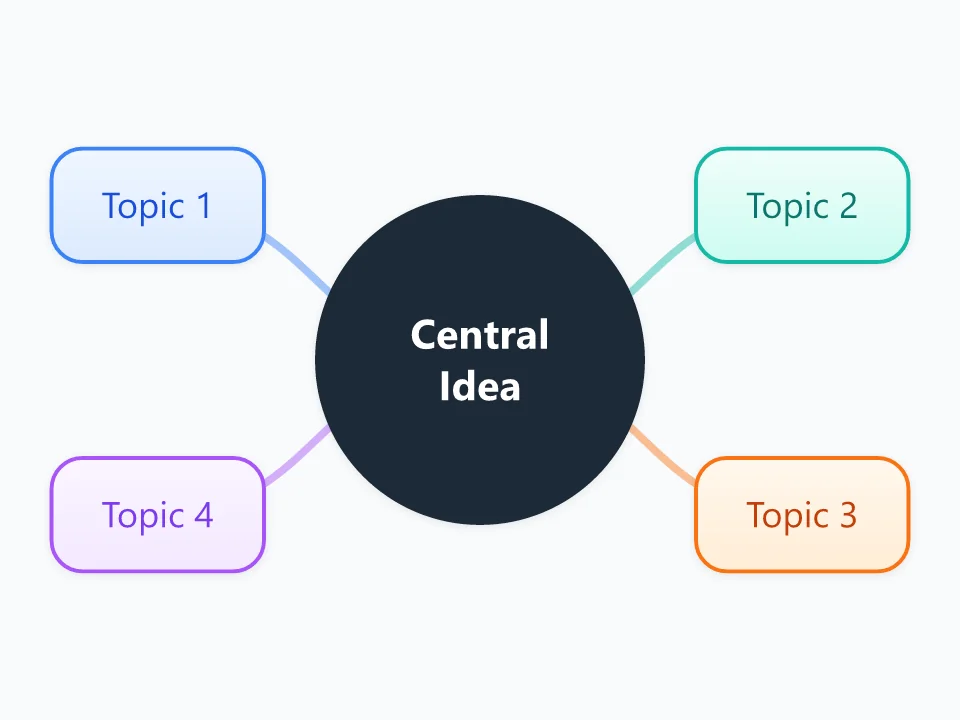
It opens as a new map with 5 topics already filled in. You don't need an account.
Open in the editorWhen to use a Blank Canvas
- Brainstorming ideas for a project, essay or business
- Taking or revising study notes
- Planning an event, a trip or a piece of writing
- Breaking a big goal into smaller parts
What goes in each branch
- Central Idea
- The main topic, question or goal, in a few words. Everything else on the map should relate to it.
- Topic 1 to 4
- The main themes or categories. Use single keywords or short phrases, then add sub-branches for details, examples and open questions.
Example: Planning a science fair project
- Central idea: how does temperature affect plant growth?
- Research: articles, similar experiments
- Materials: seeds, pots, thermometers
- Method: three temperature groups, daily measurements
- Presentation: charts, photos, conclusion
Tips
- Write keywords rather than full sentences so the map stays easy to scan.
- Work outward from the center, and don't judge ideas while you are still brainstorming.
- Give each main branch its own color so groups are easy to see.
- When you finish, look for links between branches; they often lead to the best insights.
Using this template in Neuron Mapping
- Click Open in the editor. The template opens as a new map.
- Select a topic and press Tab to add a branch under it, or double-click a topic to change its text.
- Select a topic to change its color and shape, or add notes to it in Markdown.
- When you're done, export the map as a PDF or PNG, or save it to keep editing later.
Everything runs locally in your browser: your map is saved on your device, works offline, and can be exported as PDF, PNG or an editable .nmm file.