
Business
Purchase Requisition Process Template
By RP Hobbyist · Updated
A purchase requisition is an internal request to buy something. Before anyone places an order, the request is checked against the budget and existing stock, approved by the right person, and turned into a purchase order for the supplier. It's a simple process, but when nobody writes it down, steps get skipped and people don't know who approves what.
The template follows that path: Purchase Request, then Requisition, then Approval (with Budget Check and Stock Check next to it), then Purchase Order and finally Receive Goods. Add your own approval levels and the person who holds each one.
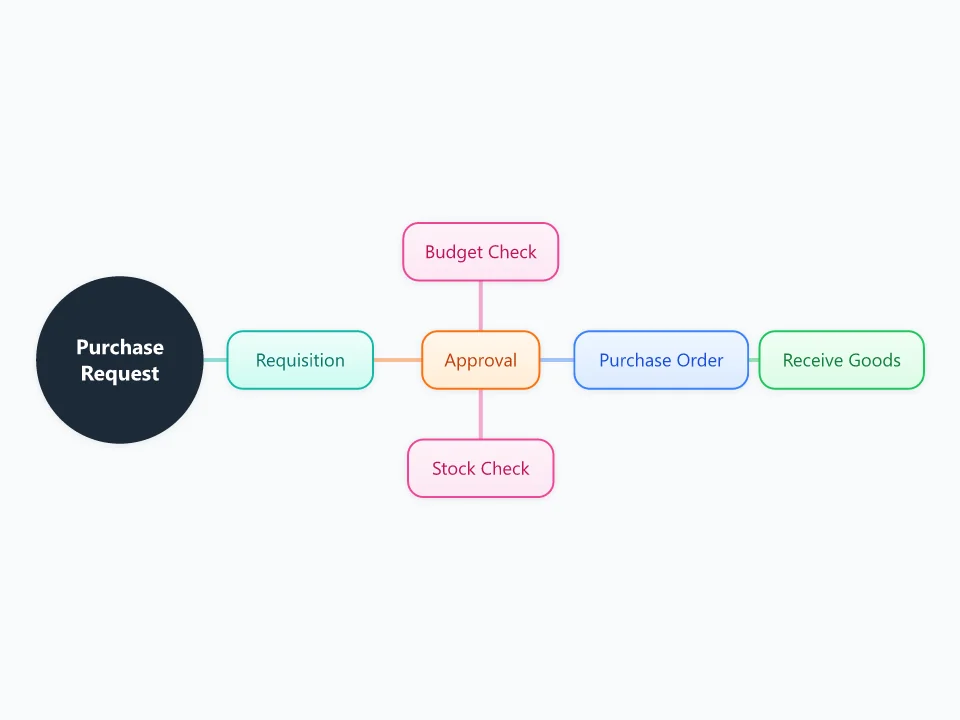
It opens as a new map with 7 topics already filled in. You don't need an account.
Open in the editorWhen to use a Purchase Requisition
- Setting up a purchasing process in a growing company
- Showing staff how to request equipment or supplies
- Tightening spending controls or getting ready for an audit
- Finding out why purchase requests take so long
What goes in each branch
- Requisition
- What's needed, how many, by when and why. A good request also names a preferred supplier and an estimated cost.
- Budget Check and Stock Check
- Is there budget left for this cost center, and do we already have the item somewhere else in the business?
- Approval
- Who can approve which amounts. Write the limits into the node, for example team lead up to $1,000 and finance director above that.
- Purchase Order
- The official order sent to the supplier, with a PO number that follows the purchase all the way to the invoice.
- Receive Goods
- Checking the delivery against the PO before the invoice is paid.
Example: A design studio buying two new laptops
- Requisition: two laptops for new hires starting on the 1st, at about $2,400 each.
- Stock check: there are no spare laptops in the office.
- Budget check: $6,000 is left in this quarter's equipment budget.
- Approval: the total is over $1,000, so the studio manager signs it off.
- Purchase order PO-0412 goes to the usual supplier. The laptops are checked when they arrive, and the invoice is matched to the PO.
Tips
- Write the approval limits on the map so nobody has to ask.
- Match the delivery and the invoice to the PO before paying. This three-way match catches most billing mistakes.
- Add a branch for urgent purchases, so people don't skip the process when they're in a hurry.
- Connect Receive Goods to whoever handles returns for damaged or wrong items.
Using this template in Neuron Mapping
- Click Open in the editor. The template opens as a new map.
- Select a topic and press Tab to add a branch under it, or double-click a topic to change its text.
- Select a topic to change its color and shape, or add notes to it in Markdown.
- When you're done, export the map as a PDF or PNG, or save it to keep editing later.
Everything runs locally in your browser: your map is saved on your device, works offline, and can be exported as PDF, PNG or an editable .nmm file.