
Planning & Strategy
OKR Planning Mind Map Template
By RP Hobbyist · Updated
OKRs, short for Objectives and Key Results, are a goal-setting framework popularized by Intel and Google. An objective describes what you want to achieve in qualitative, motivating terms. Key results are the measurable outcomes that show whether you got there. Initiatives are the projects and tasks you do to move the key results.
This template maps one objective to three key results, each with two supporting initiatives. The hierarchy makes it easy to check that every initiative drives a key result and every key result proves progress on the objective.
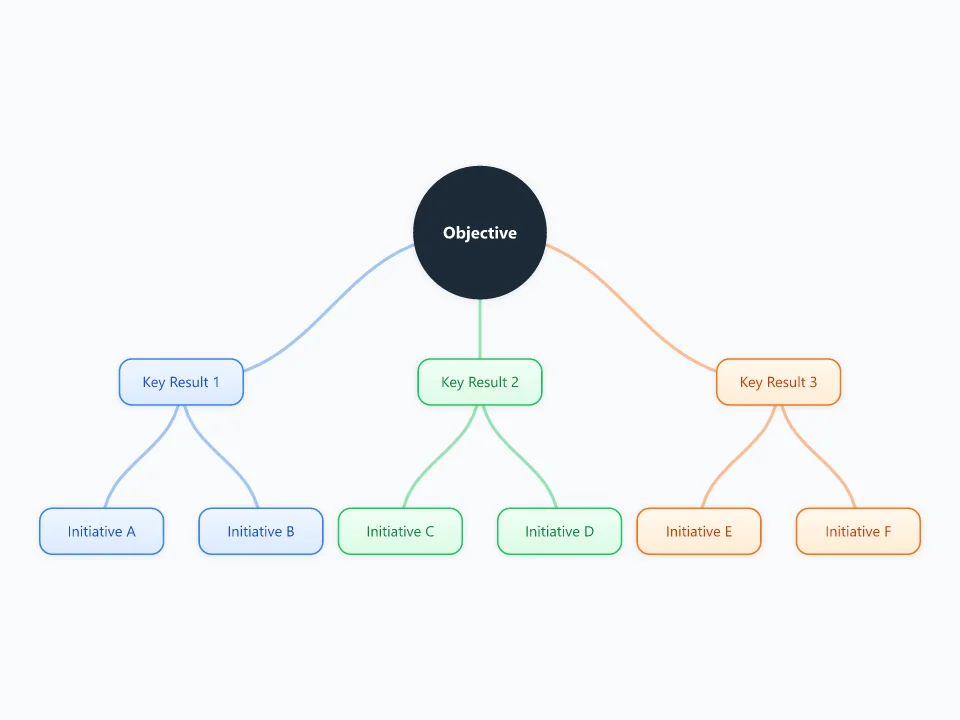
It opens as a new map with 10 topics already filled in. You don't need an account.
Open in the editorWhen to use a OKR Planning
- Quarterly or annual goal setting for a team or company
- Aligning a team's projects with a larger company objective
- Turning a vague ambition into measurable targets
- Personal goals, such as a learning or fitness plan
What goes in each branch
- Objective
- One ambitious, qualitative goal for the period, such as "Make onboarding effortless for new users".
- Key Result 1 to 3
- Measurable outcomes with a baseline and a target, such as "Raise day-7 retention from 20% to 35%". Three to five per objective.
- Initiatives
- The projects or experiments you expect to move the key result. They can change during the quarter; the key results should not.
Example: A product team's quarterly OKR
- Objective: make first-time mind mapping effortless
- KR1: 60% of new users create a map within 5 minutes (up from 35%)
- KR2: halve template-related support emails
- KR3: reach a 4.5/5 onboarding survey score
- Initiatives: a guided first map, template previews, in-app shortcut tips
Tips
- Write key results as outcomes, not tasks. "Launch the tutorial" is an initiative; "70% tutorial completion" is a key result.
- Keep to one to three objectives per team per quarter so the focus is real.
- Add the current value and the target as child nodes under each key result, and update them weekly.
- Score each key result at the end of the period and carry the lessons into the next map.
Using this template in Neuron Mapping
- Click Open in the editor. The template opens as a new map.
- Select a topic and press Tab to add a branch under it, or double-click a topic to change its text.
- Select a topic to change its color and shape, or add notes to it in Markdown.
- When you're done, export the map as a PDF or PNG, or save it to keep editing later.
Everything runs locally in your browser: your map is saved on your device, works offline, and can be exported as PDF, PNG or an editable .nmm file.