
HR & Operations
Employee Onboarding Checklist Template
By RP Hobbyist · Updated
Employee onboarding is everything that happens between a new hire accepting an offer and becoming a productive member of the team. A structured process makes sure contracts are signed, equipment and accounts are ready, and the new person knows who to ask for help. That makes a strong first impression and helps people stay.
This template splits onboarding into the four groups responsible for it: HR, IT, the hiring manager, and day-one training, with a starting task under each. Expand each branch into your own checklist, assign owners, and reuse the map for every new hire.
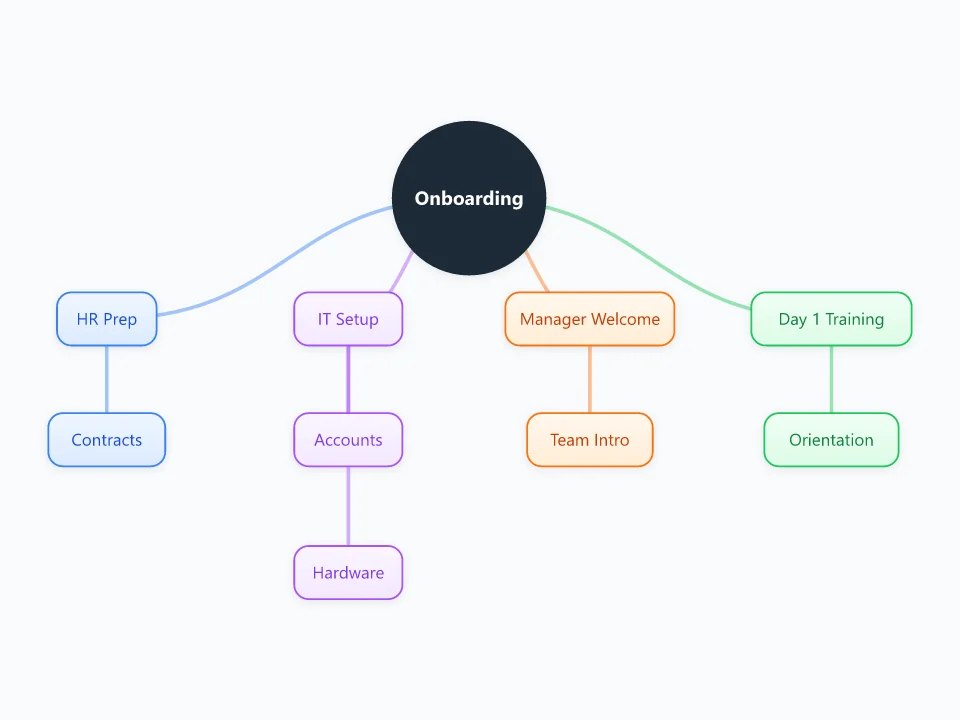
It opens as a new map with 10 topics already filled in. You don't need an account.
Open in the editorWhen to use a Employee Onboarding
- Preparing for a new hire's first day
- Creating a repeatable onboarding process for a growing team
- Coordinating tasks between HR, IT and the hiring manager
- Onboarding contractors, interns or volunteers
What goes in each branch
- HR Prep
- Paperwork before day one: the signed contract, tax and payroll forms, policies to acknowledge, benefits enrollment.
- IT Setup
- Accounts (email, chat, tools and access rights) and hardware (laptop, phone, peripherals), ready and tested before the start date.
- Manager Welcome
- The manager's part: team introductions, a buddy or mentor, the first-week schedule and early goals.
- Day 1 Training
- Orientation on the company, tools, security and safety, plus the role-specific training the person needs first.
Example: Onboarding a new customer support agent
- HR Prep: contract signed and payroll details collected a week before the start
- IT Setup: help desk and chat accounts created; headset delivered
- Manager Welcome: team lunch; three days shadowing a senior agent
- Day 1 Training: product overview, support tone guide, first practice tickets
Tips
- Start before day one; most IT and HR tasks need lead time.
- Give every task an owner and a due date relative to the start date, for example "5 days before".
- Plan beyond the first day with 30-, 60- and 90-day goals.
- Ask each new hire for feedback after their first month and update the template.
Using this template in Neuron Mapping
- Click Open in the editor. The template opens as a new map.
- Select a topic and press Tab to add a branch under it, or double-click a topic to change its text.
- Select a topic to change its color and shape, or add notes to it in Markdown.
- When you're done, export the map as a PDF or PNG, or save it to keep editing later.
Everything runs locally in your browser: your map is saved on your device, works offline, and can be exported as PDF, PNG or an editable .nmm file.