
Legal
Compliance Review Checklist Template
By RP Hobbyist · Updated
A compliance review checks that an organization meets its legal, regulatory and contractual obligations before problems turn into fines, disputes or lost customers. Splitting the review into areas makes sure nothing is missed and makes it clear who is responsible for each part.
This template organizes a review into four areas, Data Privacy, Contracts, Regulatory and Employment, each with a starting checkpoint. Expand each branch into the specific checks that apply to your business, and use colors to track status as items are reviewed.
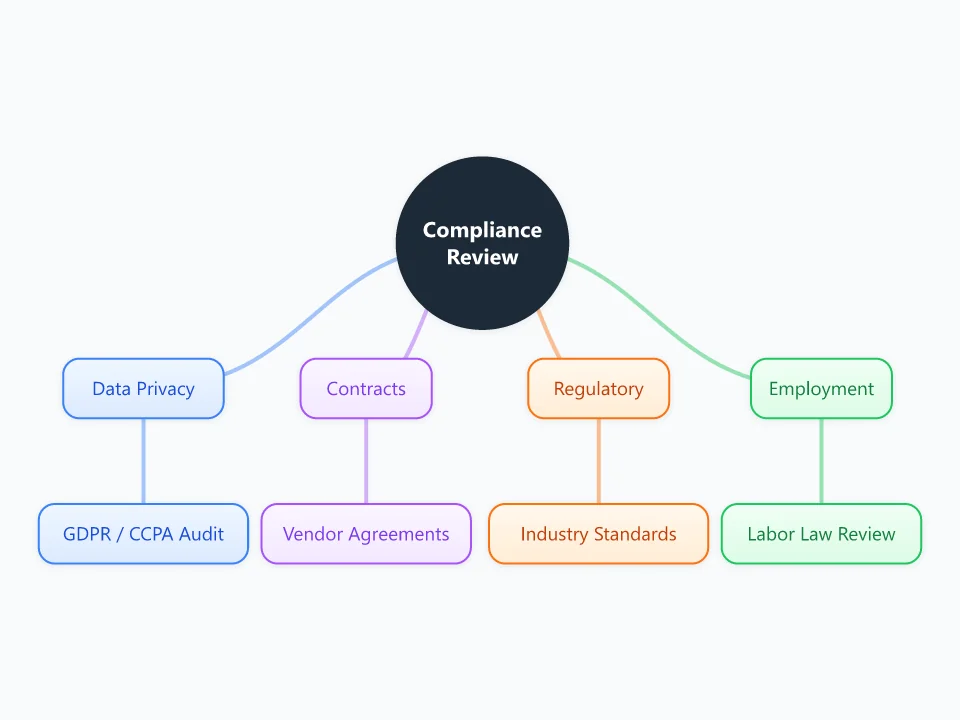
It opens as a new map with 9 topics already filled in. You don't need an account.
Open in the editorWhen to use a Compliance Review Checklist
- Annual or quarterly internal compliance reviews
- Preparing for an audit, certification or due diligence
- Onboarding a new vendor or launching in a new market
- Small businesses setting up a first compliance program
What goes in each branch
- Data Privacy
- How personal data is collected, stored and shared: GDPR and CCPA obligations, privacy notices, consent, data subject requests, breach procedures.
- Contracts
- Customer and vendor agreements: renewal dates, data processing agreements, liability terms, and obligations you have committed to.
- Regulatory
- Industry-specific rules and standards, such as product safety, financial, health or environmental regulations, and certifications like ISO 27001.
- Employment
- Labor law and HR obligations: contracts, working hours, pay, health and safety, workplace policies.
Example: A small online store selling in the EU and US
- Data Privacy: update cookie consent; document how customer data is deleted on request
- Contracts: sign a data processing agreement with the email provider
- Regulatory: check product safety labeling for EU markets
- Employment: review contractor agreements for part-time packers
Tips
- Add an owner and a due date to each checkpoint as child nodes.
- Use colors for status, for example green for compliant, amber for in progress and red for gaps.
- Keep evidence such as policy links and document names in node notes, so the map doubles as an audit trail.
- This template is an organizing tool, not legal advice. Confirm the requirements for your jurisdiction with a qualified professional.
Using this template in Neuron Mapping
- Click Open in the editor. The template opens as a new map.
- Select a topic and press Tab to add a branch under it, or double-click a topic to change its text.
- Select a topic to change its color and shape, or add notes to it in Markdown.
- When you're done, export the map as a PDF or PNG, or save it to keep editing later.
Everything runs locally in your browser: your map is saved on your device, works offline, and can be exported as PDF, PNG or an editable .nmm file.